From product photo to on-model image: four real AI runs, step by step
Four real Dress Model runs, from product photo to AI on-model image: settings, measured times, credits, and what was kept or changed in each result.
ModelPhotoAI6 min read
Most explanations of AI on-model photos show a polished result and skip everything else. This article does the opposite: it walks through four real runs of Dress Model, our tool that puts a garment or accessory from a product photo on an AI model, and documents what went in, what came out, how long it took, what it cost and where the result differs from the product.
The four runs were made on October 7, 2026 through the normal product flow, and they are the same four shown in the demo on our home page. The outputs are unedited. One thing to know up front: the input product photos are samples we created with AI for the demo, not photos of a real brand's products.
Step 1: the product photo
Everything Dress Model knows about your product comes from one photo, so the input matters more than any setting. The four inputs were chosen to cover the cases that usually cause trouble:
- A plain garment: a sage-green long-sleeve linen shirt, where the main risk is the exact shade.
- A print: a navy wrap dress with a large terracotta floral pattern, where the print has to survive being redrawn on a body.
- A texture: a cream crew-neck cable-knit sweater, where the cables and ribbing have to stay readable.
- An accessory: a tan leather top-handle bag with a gold clasp, where hardware and proportions matter.
All four are packshots on a plain light gray background: the three garments are shown as if worn by an invisible form (ghost-mannequin style) and the bag stands upright. They share the traits that make an input easy to work with: the whole product is visible, it faces the camera and the light is even. If your own photos are taken on a cluttered table or in strong shadow, fix that first; no setting compensates for a detail the AI cannot see.
Step 2: the settings
In Dress Model you choose a model (one of your own, built in Model Creator, or a preset), a body size, a photo style and a background, and then generate. All four runs used the portrait format, 1024x1536 pixels, and cost 8 credits each. Their outputs share a plain white background and a model with a similar look, which is why they sit together as a set.
Step 3: the four results
Plain linen shirt
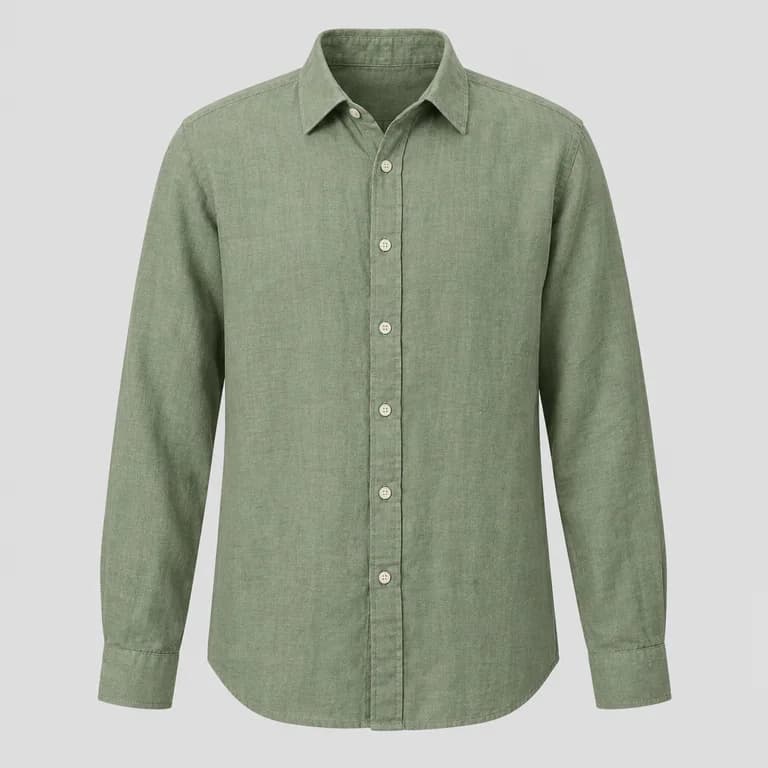
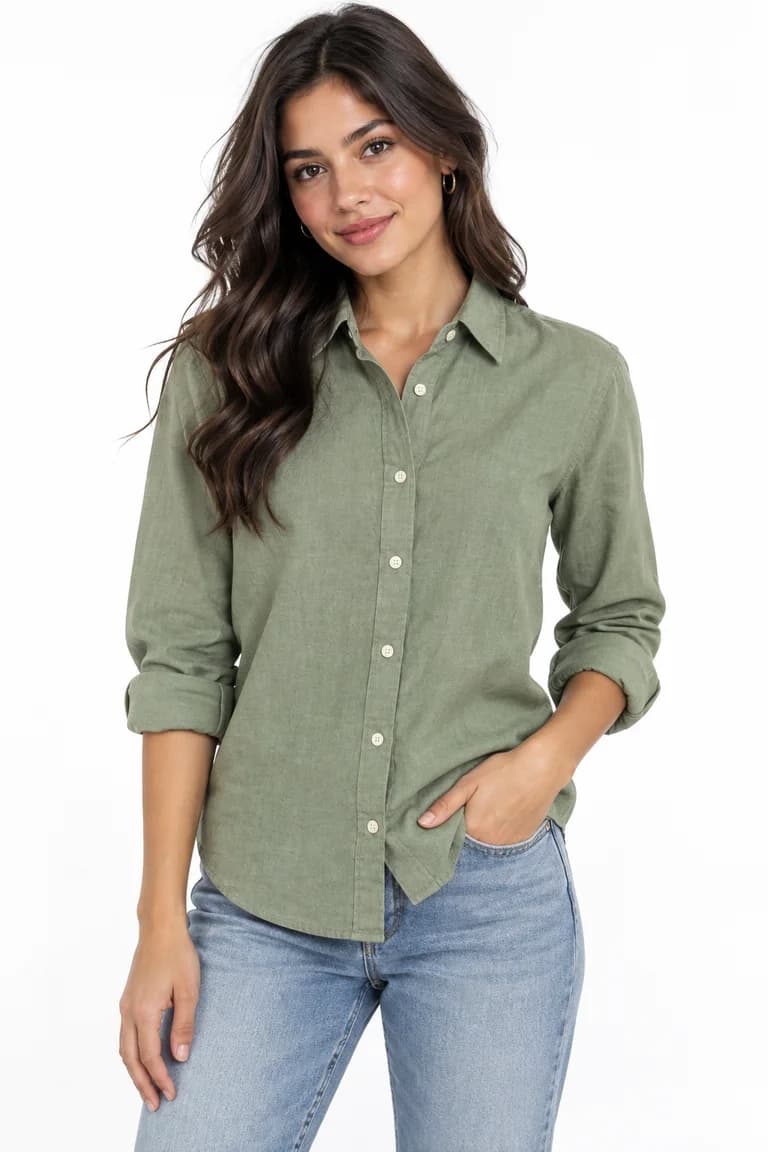
Kept: the sage-green color, the collar and the button placket. Changed: the long sleeves came out rolled up, which is a styling choice the input did not ask for. The model, the jeans, the pose and the background are generated. If the cuff matters for this product, it needs a second photo with the sleeves down.
Printed wrap dress
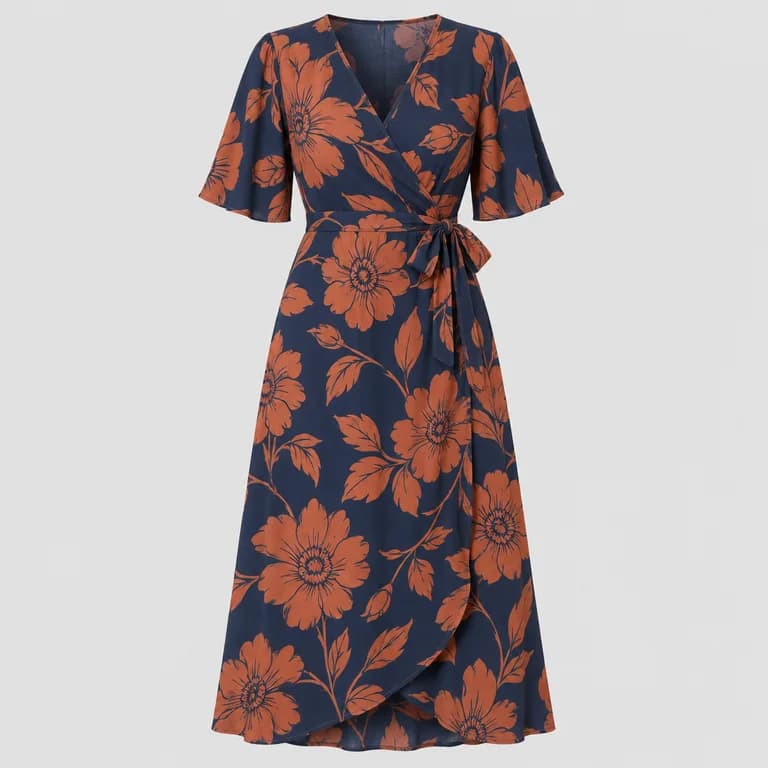
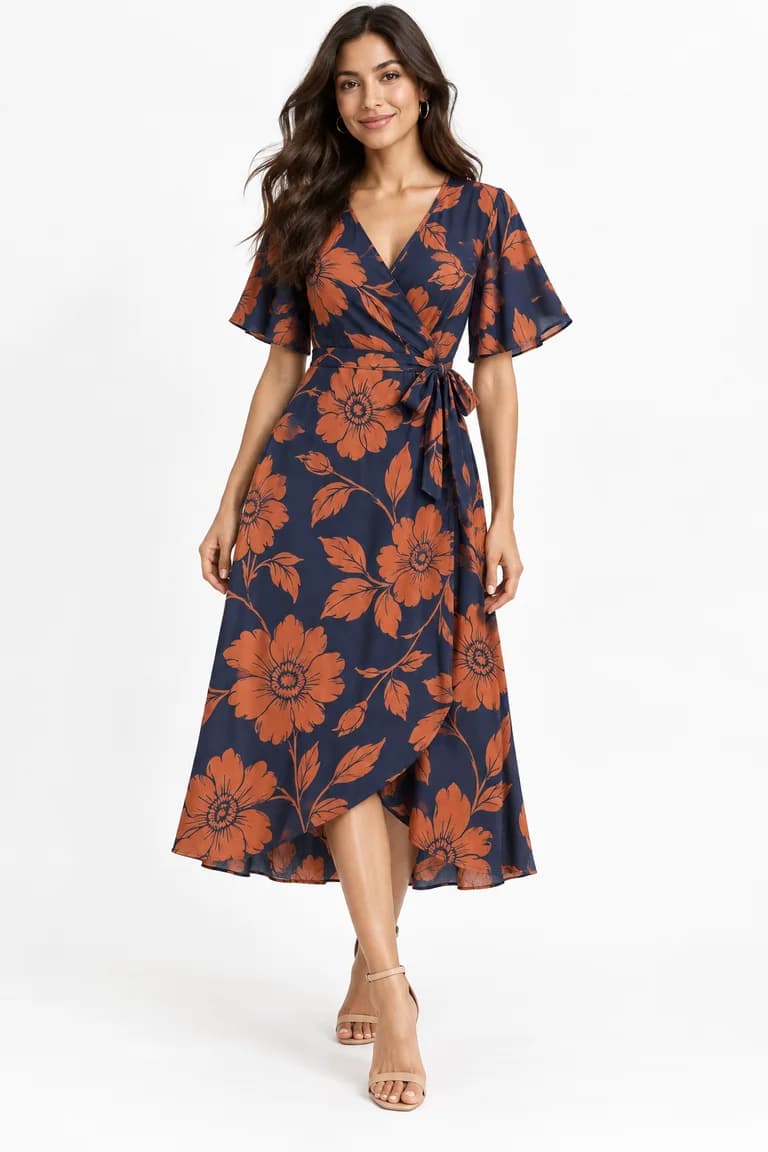
Kept: the navy and terracotta colors, the size of the flowers, the wrap tie and the flutter sleeves. Changed: the print is redrawn to follow the drape, so individual flowers are not in the same places, and the hem edge looks more ruffled than in the product photo. For an all-over print that is usually acceptable; for a placement print or a logo, it would not be.
Cable-knit sweater
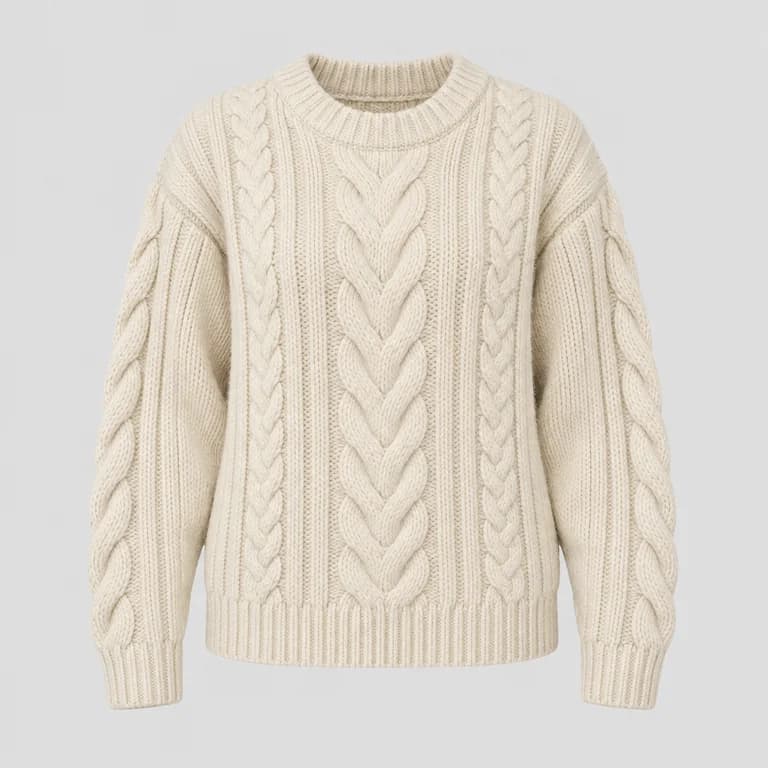
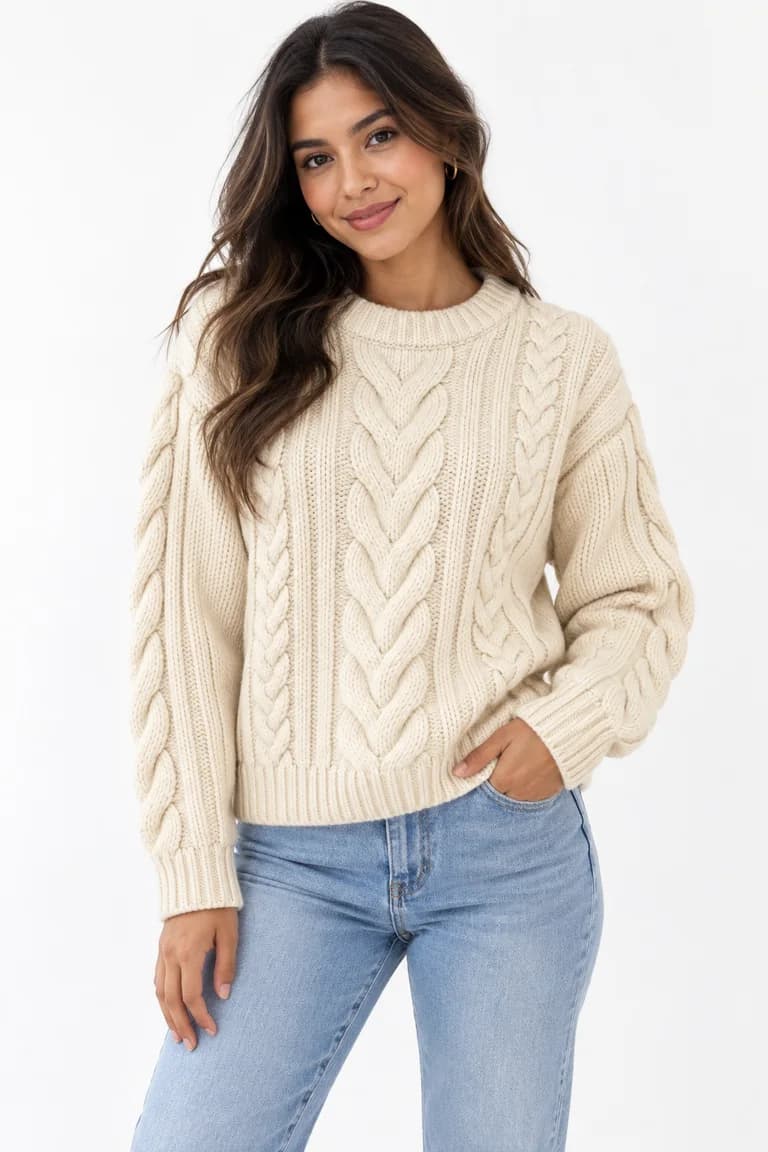
Kept: the cream color, the wide center cable with narrower cables beside it, the cables on the sleeves and the ribbed neckline, cuffs and hem. Changed: on the body the sweater reads a little shorter than in the product photo, ending at the waist, and the background goes from light gray to white. Check the length against your real measurements before you publish.
Leather top-handle bag
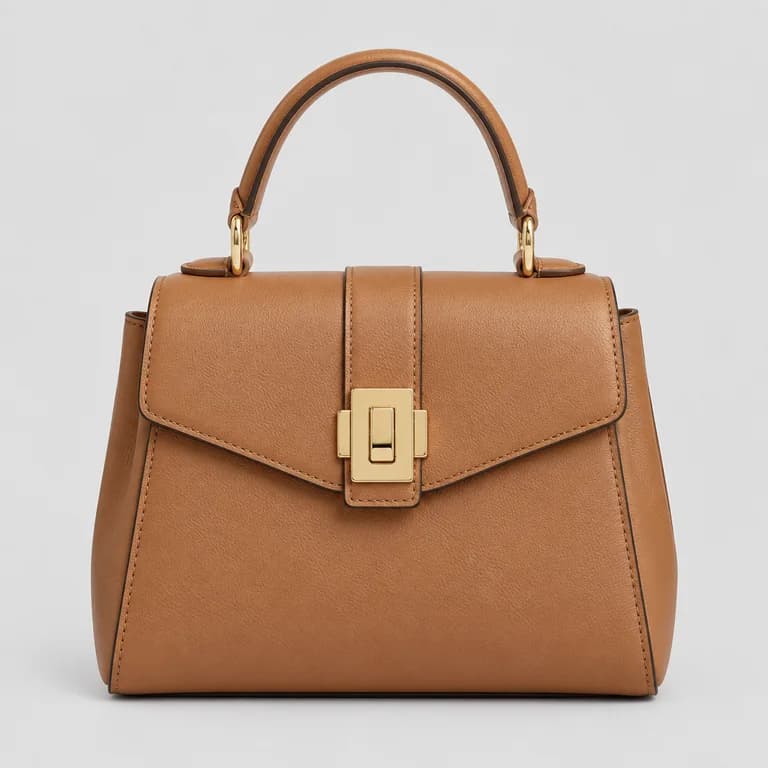
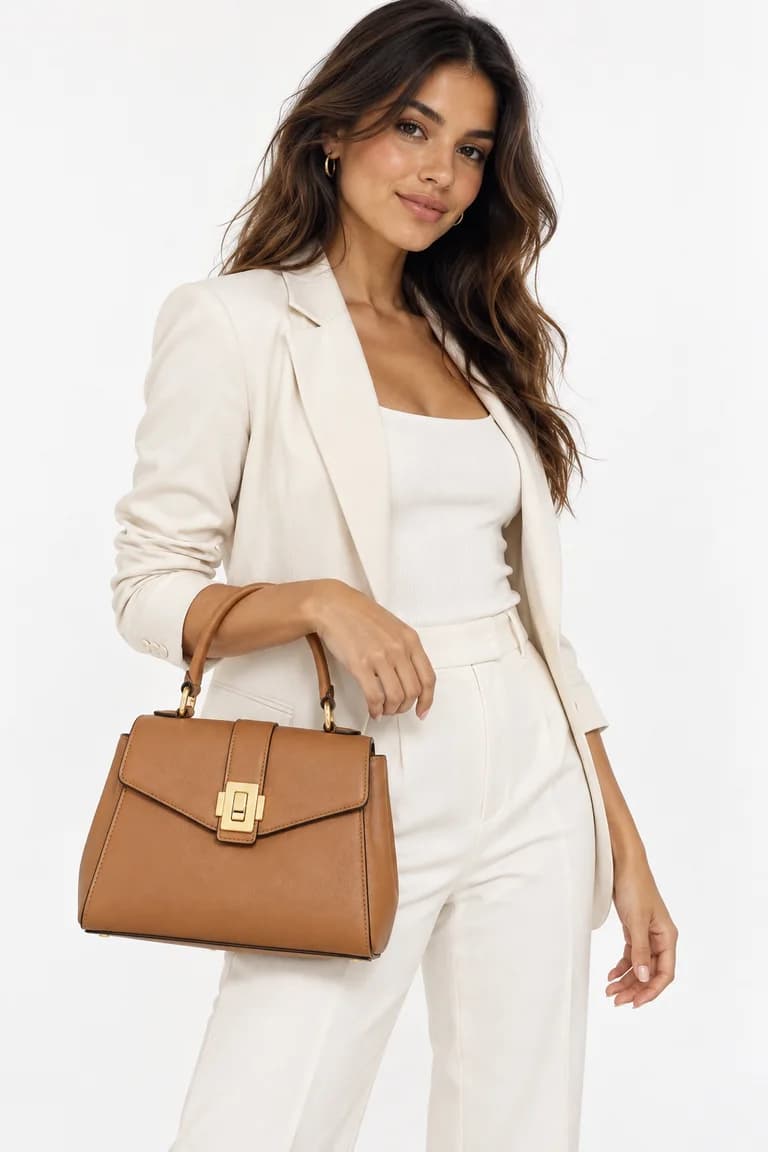
Kept: the tan leather, the top handle and the gold clasp. Changed: the bag reads a little wider and the handle rounder than in the product photo, and the cream suit is entirely generated. With accessories, size is always a guess from a single photo, so the listing has to state the real measurements.
Time and cost, in one table
| Product | Measured time | Credits | Main difference to check |
|---|---|---|---|
| Sage-green linen shirt | 24.8 s | 8 | Sleeves rolled up |
| Floral wrap dress | 23.1 s | 8 | Print redrawn; hem more ruffled |
| Cream cable-knit sweater | 22.6 s | 8 | Length and shape on the body |
| Tan leather bag | 22.4 s | 8 | Proportions of the bag and handle |
Together, the 4 runs took 92.9 s of generation time and 32 credits. A Dress Model image typically takes 20 to 60 seconds, so these runs sat at the fast end of that range. Four runs are an example, not a benchmark: your times will vary with the queue and the request.
What the four runs teach
- Color and overall construction carried over well in all four cases. That is the part a buyer notices first.
- The AI styles the product for a body. Rolled sleeves, a shorter-looking hem or a different drape are not errors in themselves, but they can misrepresent how you sell the item.
- Prints and hardware need the closest look. Motifs are redrawn and small parts can change shape.
- Everything around the product is generated: the model, the other clothes and the background. Make sure none of it could be mistaken for what you sell.
- A result you dislike is not refunded; only failed or safety-blocked runs are. Budget for the occasional re-run at 8 credits per image.
For a full checklist, see how to review AI product photos before you publish them. For what Dress Model can and cannot do, including the categories the image provider blocks (swimwear, lingerie and nudity), see the FAQ.
Tools mentioned in this article
Try it with your own product photos
New accounts get 100 free credits, no card required: enough for 12 Dress Model images. Email signups verify their email before generating.
Related articles
Working with AI
How to turn product photos into short videos with AI
Animate Photo and Motion Capture explained: which to use, how long a video takes, what it costs, sound vs no sound, and how to review the clip.
6 min read
Read articleWorking with AI
A weekly content routine for a small fashion brand using AI photos
Plan, batch, review and publish AI product photos in one week: a realistic routine for a small clothing brand, with a credit budget and quality checks.
6 min read
Read articleWorking with AI
What AI fashion photography can and cannot do today
An honest look at AI on-model photos: what they handle well, where they drift (prints, logos, hands, size) and which garments content filters block.
6 min read
Read article