
What AI fashion photography can and cannot do today
An honest look at AI on-model photos: what they handle well, where they drift (prints, logos, hands, size) and which garments content filters block.
ModelPhotoAI6 min read
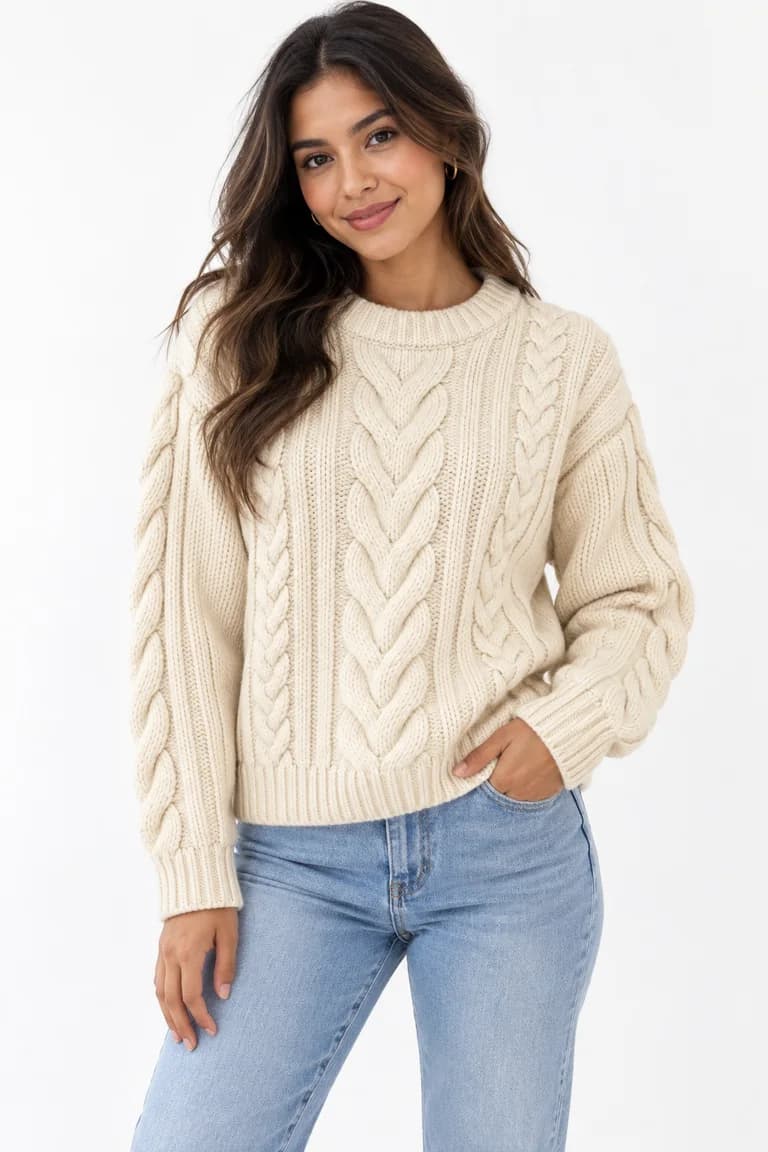
AI fashion photography is useful, and it is also easy to oversell. If you sell clothing or accessories online, the practical question is not whether AI can make a nice picture. It is whether the picture shows your product accurately enough that a buyer gets what they expected. This article separates what the technology does well today from where it still needs a human to check the result, based on how our own tool, Dress Model, behaves.
All the examples come from the four real runs shown in the demo on our home page. The inputs are sample product photos created with AI for the demo; the outputs are unedited, and each run cost 8 credits.
What it does well
Putting a garment on a person, fast
From a single product photo, Dress Model generates a new image of a model wearing the product. A Dress Model image typically takes 20 to 60 seconds; the four demo runs took between 22.4 s and 24.8 s. That speed changes how you work: you can try a product on a model the same day it arrives, instead of waiting for a shoot.
Plain colors, simple shapes and main textures
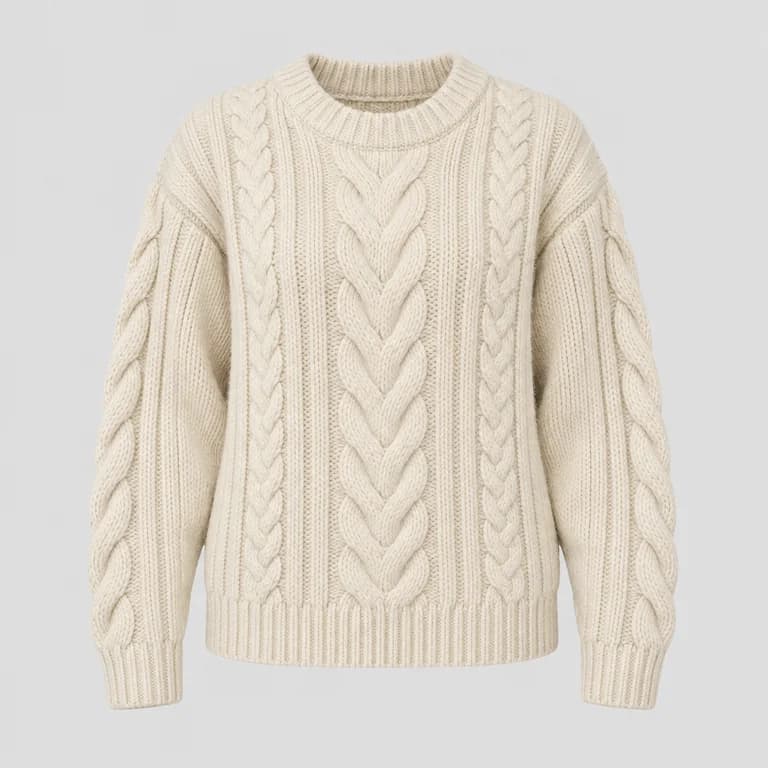
Solid-colored garments with a clear silhouette are the easiest case, and a strong, regular texture usually carries over too. In the demo, the cream sweater kept its wide center cable, the narrower cables beside it and the ribbed edges.
Consistent styling across a catalogue
Because you choose the model, the pose and the scene, you can keep the same look across many products. You can also create a reusable model with Model Creator and use it for every item, which helps a store page look like one collection instead of a mix of different shoots.
Where it still drifts
Every generated image is a new drawing of your product, not a photograph of it. The model redraws the garment to follow a body, folds and light, and that is where small changes appear.
- Prints and patterns. Motifs are redrawn, so they can move, change size or multiply. An all-over print may survive that; a placement print or a slogan often will not.
- Small details. Buttons, stitching, trims and closures can shift or simplify. Count them.
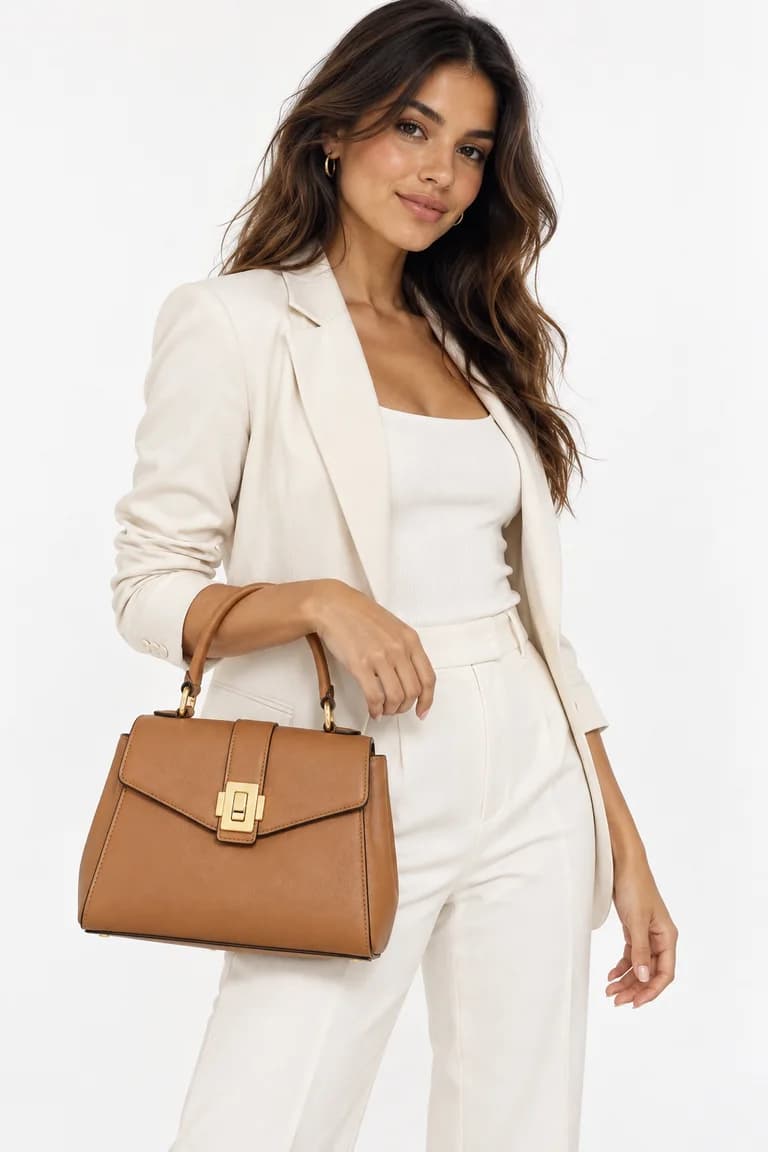
- Styling choices. The AI dresses a body, so it may style a garment differently from how you sell it, for example with the sleeves pushed up or a jacket worn open.
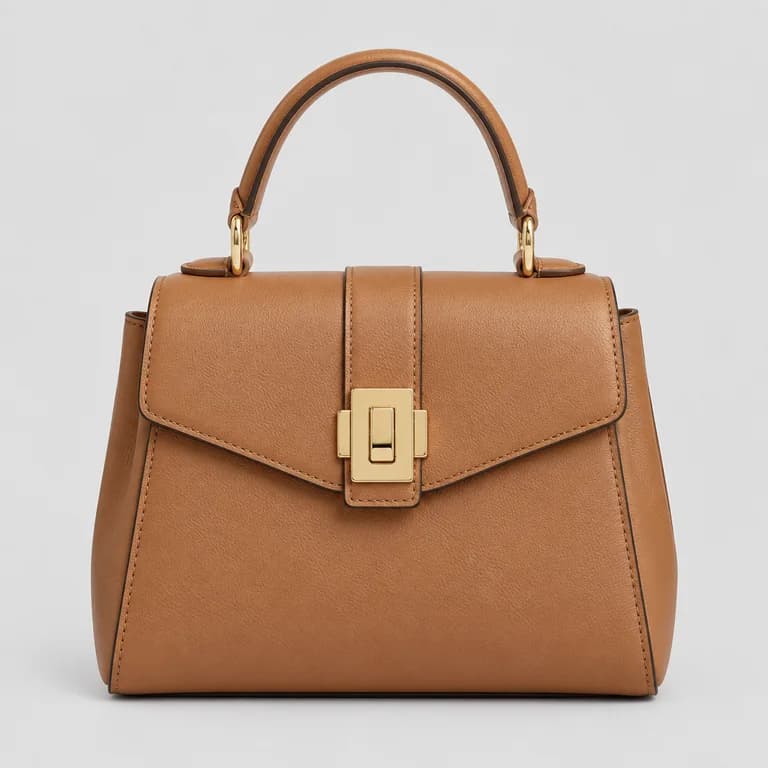
- Size and proportions. One product photo does not tell the AI how big an object is, so the scale of accessories is an estimate. The bag below shows it.
Hands, logos and text
Hands are where the product meets the body: a grip on a bag handle, fingers in a pocket, a cuff at the wrist. Check fingers and grip in every image. Treat any logo, label or printed text as suspect: generated lettering can come out close to yours but not exact. If your brand name is visible, compare it letter by letter, and if it is wrong, re-run or choose an image where it is not visible.
Fit is shown, not measured
An AI image shows a garment on a generated body. It cannot tell a buyer how your product actually fits a real person, how a fabric stretches or how heavy it is. Give real measurements, the fabric composition and fit notes in the listing; the photo cannot replace them.
What it cannot do: blocked categories
Filters like these are set by the provider, not by the store, and they can block a request even when your intent is an ordinary product listing. Plan for it rather than trying to work around it.
Why review is part of the process
Because drift is small and the images are well lit, mistakes are easy to miss at thumbnail size. A different shade or a missing button is a product error that a buyer may notice only when the package arrives. So the realistic workflow is: generate, compare each image against the product photo, then keep, re-run or discard it.
We wrote a step-by-step checklist for that comparison: how to review AI product photos before you publish them.
How to get better results
- Start from a good product photo: flat or on a hanger, evenly lit, front-facing and showing the whole product. The less the AI has to guess, the less it invents.
- Use one product per photo. Several items in one image leave the AI to decide which one you mean.
- Test your hardest products first: busy prints, visible logos, accessories whose size matters. They tell you quickly where the tool works for your catalogue.
- Keep a real photo for details that sell the product: a close-up of the fabric, a label or a clasp is better shot with a phone than generated.
- Before you publish, read the current image guidelines wherever you sell; they can differ from one place to another and change over time.
A fair summary
| Area | What to expect |
|---|---|
| Main color and silhouette | Usually carries over on plain garments; still compare in an evenly lit area |
| Strong textures | Often carry over; check sleeves and hem, not only the chest |
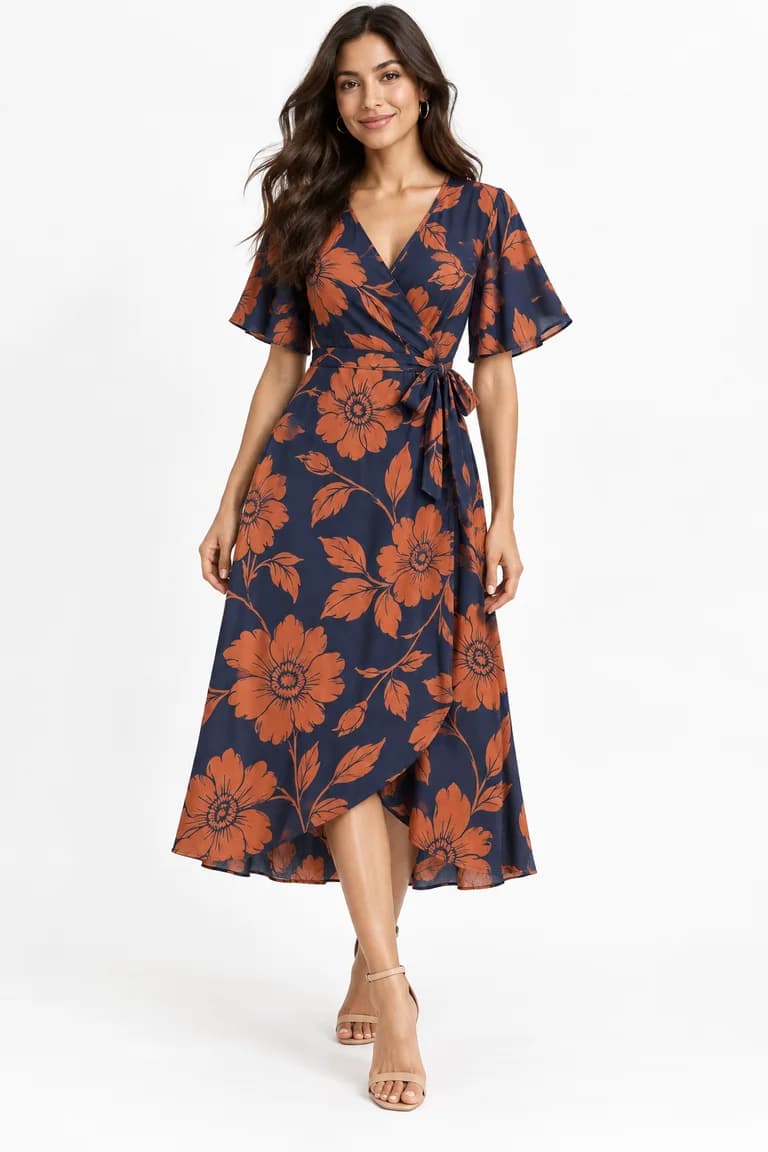
| Prints | Colors and motif size can hold, but motifs are redrawn |
| Hardware, logos, text | Easy to change; check closely or keep them out of frame |
| Hands and fit | Check every image; give real measurements in the listing |
| Swimwear, lingerie, nudity | Blocked by the provider's filter; the credits are refunded |
Used this way, AI on-model photos are a practical option for catalogues with many products and frequent new arrivals, as long as someone checks each image before it goes live. If you want to see more about the use case, read our page on AI fashion photography.
Tools mentioned in this article
Try it with your own product photos
New accounts get 100 free credits, no card required: enough for 12 Dress Model images. Email signups verify their email before generating.
Related articles
Working with AI
How to turn product photos into short videos with AI
Animate Photo and Motion Capture explained: which to use, how long a video takes, what it costs, sound vs no sound, and how to review the clip.
6 min read
Read articleWorking with AI
A weekly content routine for a small fashion brand using AI photos
Plan, batch, review and publish AI product photos in one week: a realistic routine for a small clothing brand, with a credit budget and quality checks.
6 min read
Read articleWorking with AI
From product photo to on-model image: four real AI runs, step by step
Four real Dress Model runs, from product photo to AI on-model image: settings, measured times, credits, and what was kept or changed in each result.
6 min read
Read article