
On-model vs flat product photos: when to use each in your store, social media and ads
Flat photos show exactly what you sell; on-model photos show how it fits and looks worn. How to combine both in product pages, social posts and ads.
ModelPhotoAI6 min read
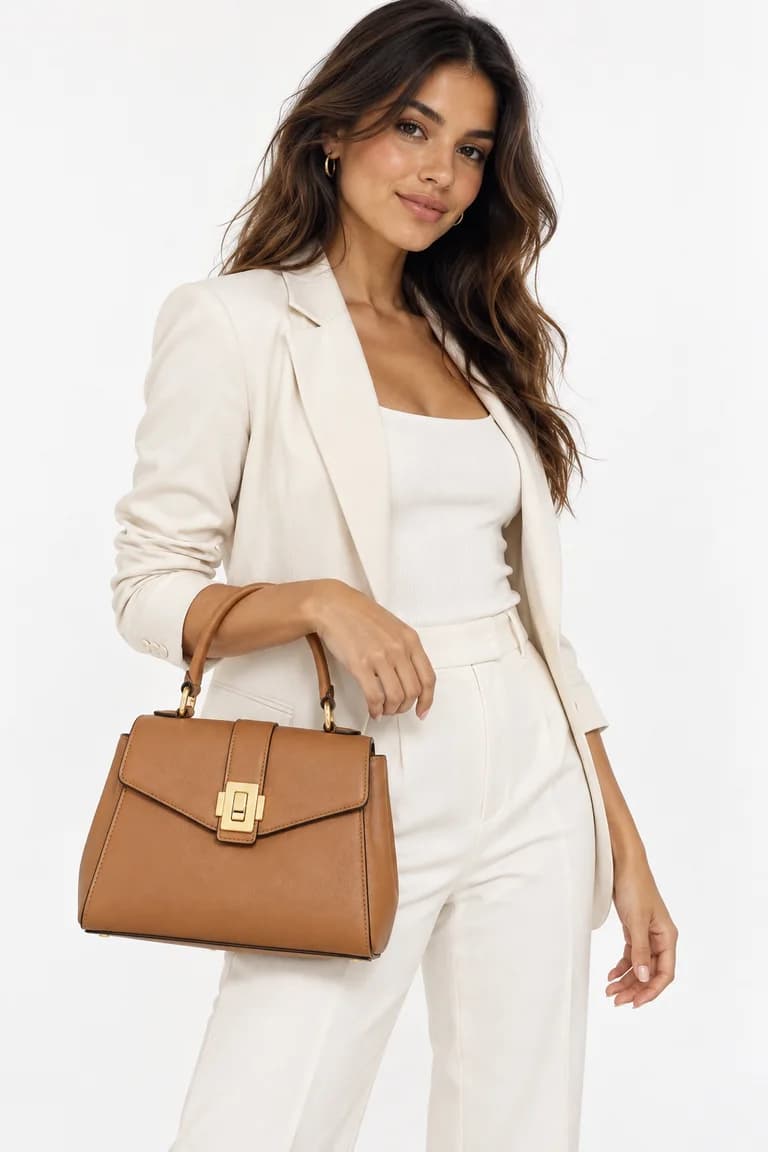
Clothing and accessories are usually photographed in two ways: on their own (laid flat, on a hanger or on an invisible mannequin) or worn by a person. Small brands often pick one style for everything because it is cheaper or easier. That leaves something out. Each kind of photo answers a different question a buyer has, and each fits some places better than others.
This guide explains what each kind of photo is good at, where it tends to work best, and how to combine them, including when the on-model image is generated with AI.
What each kind of photo tells a buyer
Flat product photos
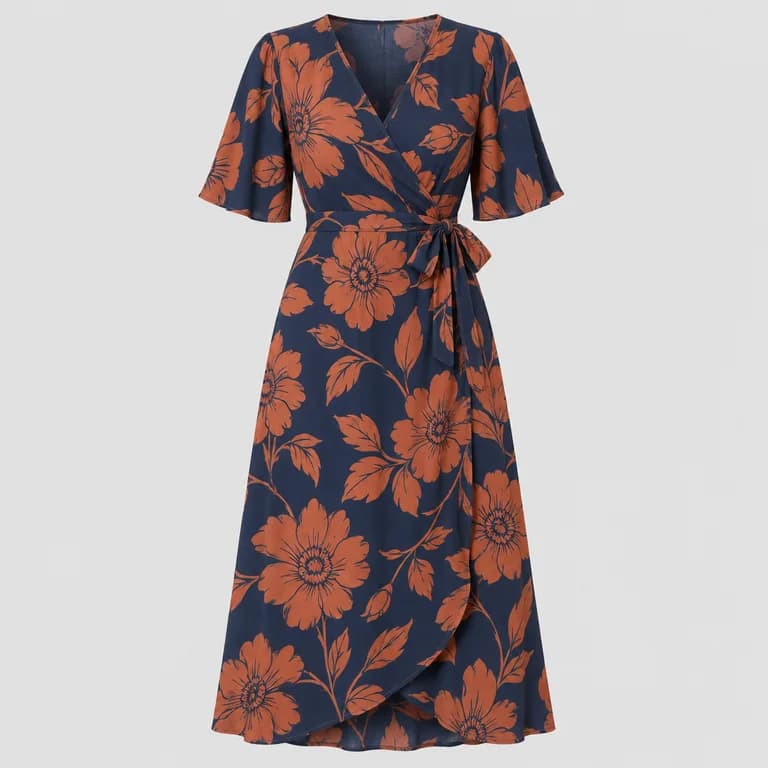
A flat or packshot photo shows the product as it is: the exact color, the whole shape, the print, the closures, the details. Nothing covers it and nothing distracts from it. It is the easiest photo to keep consistent across a catalog, which makes products easy to compare side by side.
What it cannot show is how the garment behaves on a body: how it drapes, where the hem falls, how loose or fitted it is, and how big a bag looks when someone carries it.
On-model photos
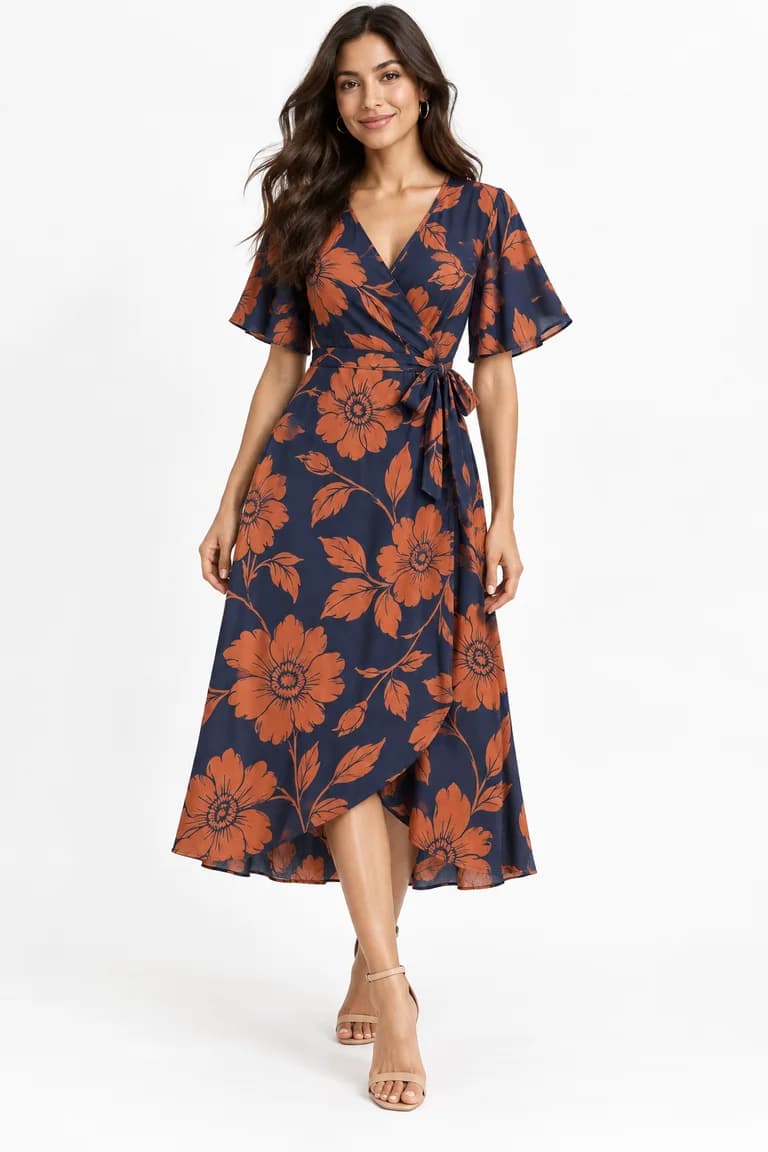
An on-model photo answers exactly those questions. It shows fit, length and proportion, gives a sense of how to wear and style the piece, and helps a buyer picture themselves in it. Its weaknesses are the mirror image: the pose, the styling and the body can hide or change details, and the other items in the photo can be mistaken for part of what you sell.
On your product pages
A product page is where the buyer decides, so it should answer both questions: what exactly is this, and how does it look worn. In practice, that means using both kinds of photo in the gallery rather than choosing one.
- Pick one style for the first image and keep it across the catalog. Category pages and search results show the first image in a grid. Mixing flat and on-model first images makes the grid look uneven and harder to compare.
- Use flat photos for the facts. Front, back and a detail close-up are your reference for color, print and construction.
- Use on-model photos for fit. One or two images that show length and proportion, plus written measurements, because no photo shows size precisely.
Which style goes first is a choice, not a rule. Some marketplaces and store builders may have requirements for the main image; check each one's current guidelines before you decide.
On social media
A social feed is not a catalog, and a post that looks like a listing photo sits oddly in it. That is where on-model and lifestyle images usually fit best: a person wearing the piece, in a setting that suggests when and where to wear it. Flat photos still have a place, for new-arrival announcements, carousels that show details or color options, and anything where the exact product matters more than the mood.
A practical combination for a carousel: start with an on-model image to stop the scroll, follow with the flat photo and a detail, and end with the information buyers need (sizes, colors, where to buy). For lifestyle scenes, InstaShoot generates images for social media at 10 credits per image.
In ads
There is no universal answer for ads, and anyone who gives you one is guessing about your audience. The useful approach is to test: run the same offer with an on-model image and with a flat image, keep everything else equal, and let your own results decide. Retargeting ads, aimed at people who already viewed a product, may call for a different image than ads aimed at people who have never seen your brand; test those separately too.
Accessories are a special case
For bags, belts and jewelry, a flat photo shows the hardware, the finish and the shape clearly, while an on-model photo shows scale. With AI on-model images, that scale is an estimate: one product photo does not tell the AI how big a bag is. Use the on-model image for the overall look and give the real measurements in the listing.
Where AI fits in
You need a clean flat photo either way, and with AI it does double duty: it is the reference buyers compare against and the input for the on-model image. With ModelPhotoAI's Dress Model, you upload that photo and get an AI-generated model wearing the garment, at 8 credits per image, typically in 20–60 seconds. For more on the tool, see AI virtual try-on.
Two honest limits. First, the model, the pose, the other clothes and the background are generated, and details like prints can shift, so keep the flat photo in the gallery as the reference for the real product and review every generated image before publishing (here is our checklist). Second, a few categories cannot be generated at all (listed in the FAQ), so those need a different approach.
Quick guide
| Use | On-model photo | Flat photo |
|---|---|---|
| Product page gallery | Fit, length, how it looks worn | Exact color, print, back and details |
| Category grid | Works if every product follows it | Works if every product follows it |
| Social feed | A natural first image in a post | Details, colors, new arrivals |
| Ads | Test against flat | Test against on-model |
| Accessories | Overall look and scale (estimated with AI) | Hardware, finish and shape |
If you are setting up photos for a whole store, the step-by-step process is in a product photo workflow for small clothing brands.
Tools mentioned in this article
Try it with your own product photos
New accounts get 100 free credits, no card required: enough for 12 Dress Model images. Email signups verify their email before generating.
Related articles
Product photos
How to review AI product photos before you publish them
A practical checklist for AI on-model photos: compare color, shape, print scale, texture, hardware, hands and background against your product photo.
6 min read
Read article
Product photos
How to photograph clothes for AI model photos: light, wrinkles and framing
How to shoot garment photos that AI can turn into accurate on-model images: soft light, a plain background, no wrinkles, the full garment and a sharp file.
6 min read
Read articleProduct photos
Flat lay vs ghost mannequin vs hanger: which product photo works best for AI
Flat lay, ghost mannequin or hanger? What each clothing photo style shows an AI model generator, where each one fails, and which to use for each garment.
6 min read
Read article